Hosted remote MCP server

Your AI agent now runs DSers.

Stop clicking through dropshipping dashboards. Connect Claude, Cursor, Codex CLI, or ChatGPT to DSers and your AI agent finds products on AliExpress, Alibaba, or 1688, applies pricing rules, and pushes drafts to Shopify or Wix — in plain English.

MCP https://mcp.dsers.com/dropshipping/mcp
Claude Desktop · DSers MCP
Find me 5 wireless earbuds under $5, import the top 2 with a 3× markup, and push them to my Shopify store as drafts.
On it. Calling DSers tools:
dsers_find_product dsers_product_import dsers_store_push
TWS Bluetooth 5.0
$5.97
In-Ear Sport Earbuds
$8.99
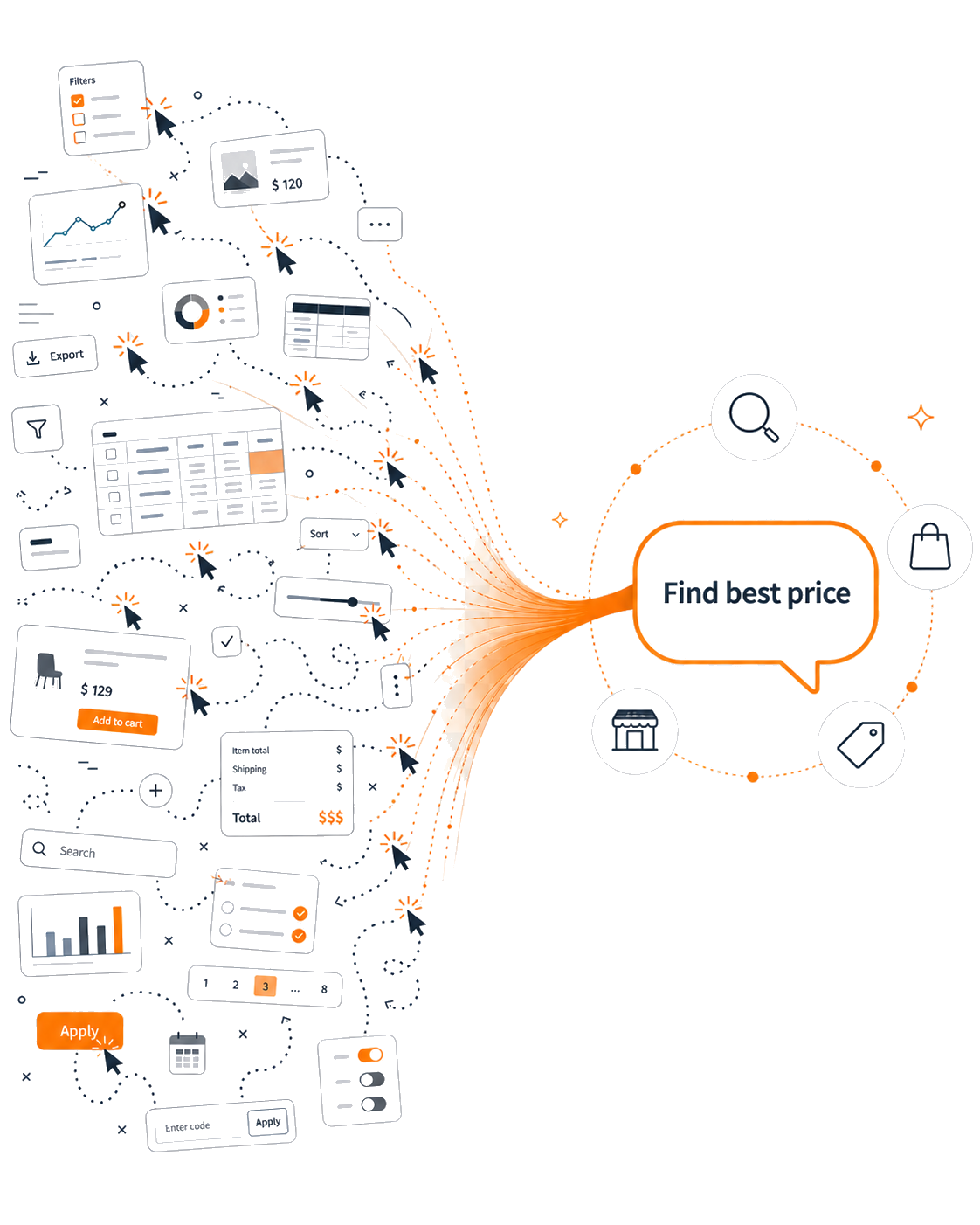
A web of dashboard fragments and click trails converges through an orange stream into a single prompt — one chat with your AI agent replaces dozens of manual clicks.
The promise

From 80 clicks to one prompt.

Stop clicking through dropshipping dashboards. Tell your AI agent what you want in plain English — it runs the workflow end-to-end while you do something else.

What it unlocks

13 tools for your AI agent to automate dropshipping

Real-time access to AliExpress, Alibaba, and 1688 product catalogues, your DSers import list, and your stores. End-to-end automation exposed via the Model Context Protocol — no SDK to install, no integration to maintain.

Find products

Search the AliExpress, Alibaba, and 1688 catalogues by keyword or image. Filter by ship-from country, price, popularity.

dsers_find_product

Import & stage

One tool to import a product into your DSers list — single or batch. Persistent import_item_id survives sessions.

dsers_product_import

Apply rules at scale

Pricing multipliers, fixed markups, fixed prices. Title prefix/suffix slots. Description appends. Image reorder, drop, replace.

dsers_product_update_rules

Preview before push

Inspect every variant — sell price, cost, stock, supplier — before the product goes anywhere near your storefront.

dsers_product_preview

Push to Shopify or Wix

Backend-only draft or live publish. Shipping templates auto-attached for the destination country.

dsers_store_push

Replace suppliers safely

Already pushed a product? Remap its SKUs to a different supplier — preview the diff first, apply only when it looks right.

dsers_sku_remap
Agent-native infrastructure

Workflows your AI agent runs end-to-end

Every tool here is idempotent, audience-bound, and resumable — so agents stay reliable across long autonomous sessions. No babysitting, no broken loops, no duplicate drafts.

AUTONOMY

Trend-to-store pipeline

Watch trends, find matches, import + price + push — the full merchandising loop, hands-off.

find_product product_import update_rules store_push

Every Monday, find the top 5 trending wireless products under $5 on AliExpress, import with a 3× markup, push as drafts to my Shopify store.

RESILIENCE

Supplier failover agent

Monitor live SKUs, swap suppliers automatically when reliability drops or stock dies.

my_products find_product sku_remap (preview) sku_remap (apply)

If any of my best-sellers' suppliers drops below 4★ rating, find a replacement in the same country, preview the SKU diff, apply if margin holds within 10%.

BATCH OPS

Bulk repricing sweep

Apply a coherent pricing strategy across hundreds of staged products in a single agent turn.

import_list update_rules ×N

Across all 200 products in my import list, apply a 2.5× multiplier; for items costing under $3, use a fixed $9.99; round all prices to .99.

ORCHESTRATION

Multi-store distributor

One product, many stores, region-specific pricing — committed in one agent turn.

store_discover product_import store_push ×N

Take this AliExpress link and push to all my Shopify stores: 1.5× for the EU store, 2× for the US store, 1.2× for the SEA store, all backend-only.

CONTENT OPS

Listing SEO normalizer

Sweep titles, descriptions, and tags so every product matches your brand voice and SEO bar.

import_list update_rules ×N

For every product in my import list, prepend [TRENDING] to the title, append 'Free shipping · 30-day returns' to the description, tag them 'fall-2026'.

OBSERVABILITY

Catalog health audit

Periodically inspect your live catalog and surface what needs attention, with grouped findings.

my_products product_preview

Audit all products on my Shopify store: flag any with 0 stock, no pricing rule applied, or compare-at price equal to sell price. Group findings by store.

How it works

Up and running in three steps

The server lives at one URL. Your AI client handles authentication. You handle the prompting.

1

Sign up for DSers

Create a free DSers account and connect at least one Shopify or Wix store.

Sign up free
2

Add the MCP server

Paste the endpoint into your AI client's MCP config. OAuth runs on its own — a browser opens, you sign in to DSers.

https://mcp.dsers.com/dropshipping/mcp
3

Talk to your store

"Find 5 wireless earbuds under $5, import the top 2 at 3× markup, and push them to Shopify as drafts." Done.

Example prompts

Talk to your store like this

Real prompts that work today. Paste any of them into your AI client after connecting DSers MCP.

find · import · push

"Find 5 wireless earbuds under $5 on AliExpress, import the top 2 with a 3× markup, and push them to my Shopify store as drafts."

browse · rule · update

"Browse my DSers import list, find products with no pricing rule applied, and apply a 2.5× multiplier to all of them."

remap · diff · apply

"Replace the supplier on my best-selling earbud with a faster shipper from China to US — show me the SKU diff before applying."

import · stage · rule

"Take this AliExpress link, change the title to start with [HOT] and append ' · Free shipping', and stage it without pushing."

Works with the MCP clients you already use — pick one to see the config
Claude Desktop·edit config file, restart, OAuth opens

1. Open ~/Library/Application Support/Claude/claude_desktop_config.json (macOS) or %APPDATA%\Claude\claude_desktop_config.json (Windows).

2. Add the dsers entry:

{
  "mcpServers": {
    "dsers": {
      "type": "http",
      "url": "https://mcp.dsers.com/dropshipping/mcp"
    }
  }
}

3. Save, fully quit and relaunch Claude Desktop. A browser will open for DSers OAuth — sign in, you're done.

Claude Code·one CLI command

1. From your terminal:

claude mcp add --transport http dsers https://mcp.dsers.com/dropshipping/mcp

2. Restart Claude Code. The first tool call will trigger the OAuth flow in your browser.

To remove later: claude mcp remove dsers

Cursor·UI or config file

UI route: Settings → Tools & Integrations → MCP Tools → "Add new MCP server" → choose HTTP, paste the URL.

Config-file route: edit ~/.cursor/mcp.json:

{
  "mcpServers": {
    "dsers": {
      "type": "http",
      "url": "https://mcp.dsers.com/dropshipping/mcp"
    }
  }
}

Restart Cursor. OAuth runs in the browser on first call.

Codex CLI·add + login

1. Add the server and trigger OAuth:

codex mcp add dsers --transport http https://mcp.dsers.com/dropshipping/mcp
codex mcp login dsers

2. Browser opens, sign in to DSers, return to terminal. Verify with codex mcp list.

Smithery·web UI or CLI

Web UI: visit the DSers MCP listing on Smithery, pick your client from the install picker, copy the generated config.

CLI route:

npx -y @smithery/cli install @dsers/mcp-server --client claude

Smithery proxies the connection — you'll still complete OAuth against DSers in your browser.

VS Code · Cline · Zed · others·any spec-compliant remote MCP client

Any client that supports a remote HTTP MCP server with OAuth 2.1 + PKCE will work. In your client's MCP settings, add a server with:

URL:  https://mcp.dsers.com/dropshipping/mcp
Type: http / streamable-http
Auth: oauth2 (auto)

Don't paste API keys or Authorization headers — DSers MCP authenticates only via the standard MCP OAuth flow. See the full setup docs for client-specific notes.
Tools catalog

Every tool your AI agent gets

13 MCP tools across 5 workflows. Each one is documented so your agent knows exactly when to call it — and what it returns. Every read carries multi-currency context (Shopify-side currency, DSers-side default, exchange rate, divergence warnings) so pricing rules land in the right unit. No hidden state, no surprise side effects.

Discovery

Bootstrap call — every other tool depends on knowing what stores exist and which rules each accepts.

dsers_store_discover
READ
List connected stores + supported rules + currency context

Returns each store's ID, name, platform (Shopify/Wix), shipping profiles, and which pricing/content/image rule families it accepts. Each store also carries the Shopify-side currency, the DSers-side default_currency, exchange rate, and a currency_warning when those diverge — so the agent applies pricing rules in the unit the storefront actually uses.

dsers_inventory_policy_get
READ
Read the user-level inventory-sync policy

Tells your agent whether DSers is configured to auto-sync supplier stock changes back to your Shopify/Wix listings — and what the threshold + cap behavior is. Use before push to set expectations on how live inventory will track over time.

Search

Find products to import from supplier catalogues — AliExpress, Alibaba, 1688.

dsers_find_product
READ
Search supplier catalogues by keyword or image

Three catalogues in one tool — AliExpress (default), Alibaba.com, 1688 Dropshipping. Returns import-ready URLs your agent can pass straight to dsers_product_import.

Browse & preview

Read-only inspection of staging area and live storefront. Cheap, fast, frequently called.

dsers_import_list
READ
Browse the staging area before push

Returns each pending item's ID, prices, stock, push status. The "what's queued?" view your agent uses before bulk operations.

dsers_my_products
READ
Browse products already pushed to a store

Per-store catalogue with prices, status (Draft / OnSelling / OffSelling), supplier links. Each item carries supplier_currency (USD for AliExpress / Alibaba, CNY for 1688 — fixed per supplier) and cost_in_store_currency when those differ — so cross-supplier cost comparisons are currency-aware. Used by audit and remap workflows.

dsers_alt_supplier_list
READ
List every supplier mapped to a pushed product

Returns the primary plus all backup suppliers — supplier label, ready-to-use URL, supplier-native currency. Feed straight back into dsers_sku_remap when switching between an out-of-stock primary and an alt with healthy inventory.

dsers_product_preview
READ
Inspect a single import item in full detail

Every variant, every price, every supplier mapping. Use this to verify a draft is right before committing it to a live store.

Stage & rule

Mutate the staging area: import products, validate & apply rules, or remove drafts.

dsers_product_import
WRITE
Import a product into the staging list

Takes an AliExpress / Alibaba / 1688 link. Optional rules can be applied at import time. Returns a stable import_item_id agents can resume from across sessions.

dsers_rules_validate
READ
Pre-flight a rules object against your account

Validates pricing/content/image rules before applying. Returns normalized rules and any errors. Use before bulk update_rules to fail fast.

dsers_product_update_rules
WRITE
Apply rules to an existing import item

Idempotent — re-running with new rules replaces previous configuration. Pricing multipliers, title slots, image reorder, variant overrides, all in one call.

dsers_product_delete
WRITE
Remove an import item from staging

Cleanup tool — agents use this to unstage products that didn't pass review or were superseded by a fresher import.

Push & remap

The two writes that affect your live storefront. Both safe, both auditable.

dsers_store_push
WRITE
Push an import item to a Shopify or Wix store

Visibility modes: backend_only (creates draft, manual publish required) or sell_immediately (live). Shipping templates auto-attached where applicable.

dsers_sku_remap
WRITE
Replace the supplier on a live product (SKU-level)

Two-phase: mode='preview' returns the SKU diff for review; mode='apply' commits. Critical for failover and price-cut strategies.

Built for the agent era

Why agents thrive on DSers MCP

Most MCP servers were shaped for one-shot chatbot calls. Ours is engineered for the long, multi-turn, autonomous workflows that real production agents run.

Idempotent mutations

Re-running product_update_rules with the same arguments produces the same draft. Agents retry on transient failures without creating duplicates or partially-applied state.

Stable handles
import_item_id persists across sessions

Every staged product gets a durable ID that survives restarts and agent loop resumes. Workflows that pause for human approval can resume hours later from exactly where they stopped.

Two-phase mutations

sku_remap ships preview + apply modes. Agents show users the diff before committing — the right ergonomics for autonomous-with-approval flows.

Batch-friendly contracts

Imports take rules at creation time; queries paginate cleanly. No N+1 fan-outs needed for sweep workflows — ten-product import is ten calls, not forty.

Sub-second reads

store_discover, import_list, my_products, and product_preview all return in <1s. Agents take fast read-decide loops without timeout pressure.

Long-lived OAuth · audience-bound

Refresh tokens valid for 30 days, transparently rotated on use. Unattended agents run for weeks without re-auth. RFC 8707 audience binding prevents tokens from being replayed against other MCP servers.

Frequently asked

Not a developer? No problem.

What is MCP?
Model Context Protocol (MCP) — Anthropic's open standard that lets AI agents call external tools and data sources in a structured way. DSers exposes 11 dropshipping tools — product search, import, pricing rules, content rules, push to Shopify/Wix, supplier remap — so any MCP-compatible AI agent can automate your store.
Which AI clients work?
Anything that speaks remote MCP over Streamable HTTP with OAuth 2.1 + PKCE. Confirmed: Claude Desktop, Claude Code, Cursor, Codex CLI, Smithery. Also expected to work: VS Code, Cline, Windsurf, Zed, Continue — anywhere that follows the MCP authorization spec.
Do I need an API key?
No. DSers MCP uses OAuth 2.1 + PKCE per RFC 6749 / RFC 7636, with Dynamic Client Registration (RFC 7591). Your client opens a browser, you sign in to DSers, and a short-lived encrypted token flows back. Don't paste API keys, don't add an Authorization header by hand, and don't share tokens between AI tools.
What does it cost?
The MCP server itself is free. You'll need an active DSers account — DSers has a free tier and paid plans depending on the volume you run. Standard DSers pricing applies.
Is my account safe?
Tokens are sealed with AES-256-GCM (NIST SP 800-38D) and bound to the MCP protected resource per RFC 8707. The server is stateless — no database, no session store, no plain-text credentials. Token discovery follows RFC 9728. We never see your DSers password; it stays between you and DSers's login page.
Will it push products without asking me?
The AI calls a separate tool to actually push (dsers_store_push), and most clients confirm before invoking it. You can also draft-only by passing visibility_mode=backend_only — the listing lands as a Shopify/Wix draft you publish manually.
How is this different from logging into the DSers dashboard?
Same data, different surface. The dashboard is a click-driven UI; MCP is a chat-driven interface. Bulk operations that take dozens of clicks ("import these 30 products with this exact pricing rule") become a single sentence to your AI.
Need a hand?

We're here 24/7

The MCP server runs on top of DSers — the same support team you'd reach for any DSers question can help here too.

Live chat

Messenger

Help center

help.dsers.com

Stop switching tabs.

Your AI should be picking products, applying rules, and pushing drafts. Get a DSers account, connect the MCP server — five minutes, zero code.

Get DSers free